
Ways to Use Midjourney's Edit Mode
Here are some ways you can use Midjourney's Edit Mode!
🤓New to the Edit Mode? Watch my tutorial here ▶️ https://youtu.be/5Br1m3XxGqU
(This is an excerpt from a longer article originally posted on my Patreon on Sept. 24, 2026.)
In the examples below, I show you the full prompt, input image(s) + the result. The yellow arrow points to the result.
My input image(s) go in the Attach to Prompt box like this:
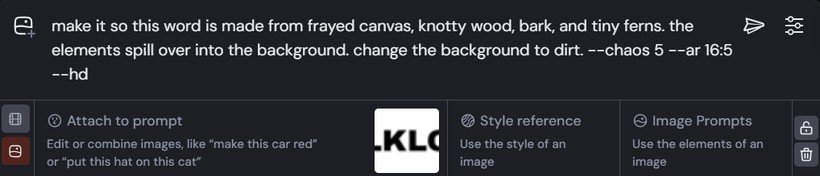
You can run all of my prompts below by copying and pasting them directly into the prompt bar. I encourage you to do that and play around with different wording or styles.
Quick note on settings: I use the V8.2 model, HD mode, and Chaos 5 for all examples. HD mode is a 2K resolution mode that improves both quality and coherence. Using --chaos 5 reduces some of the sameness across images in my resulting image grid (slightly increases results diversity). The aspect ratio is determined from my input image for nearly all prompts.
1. Texturize Text
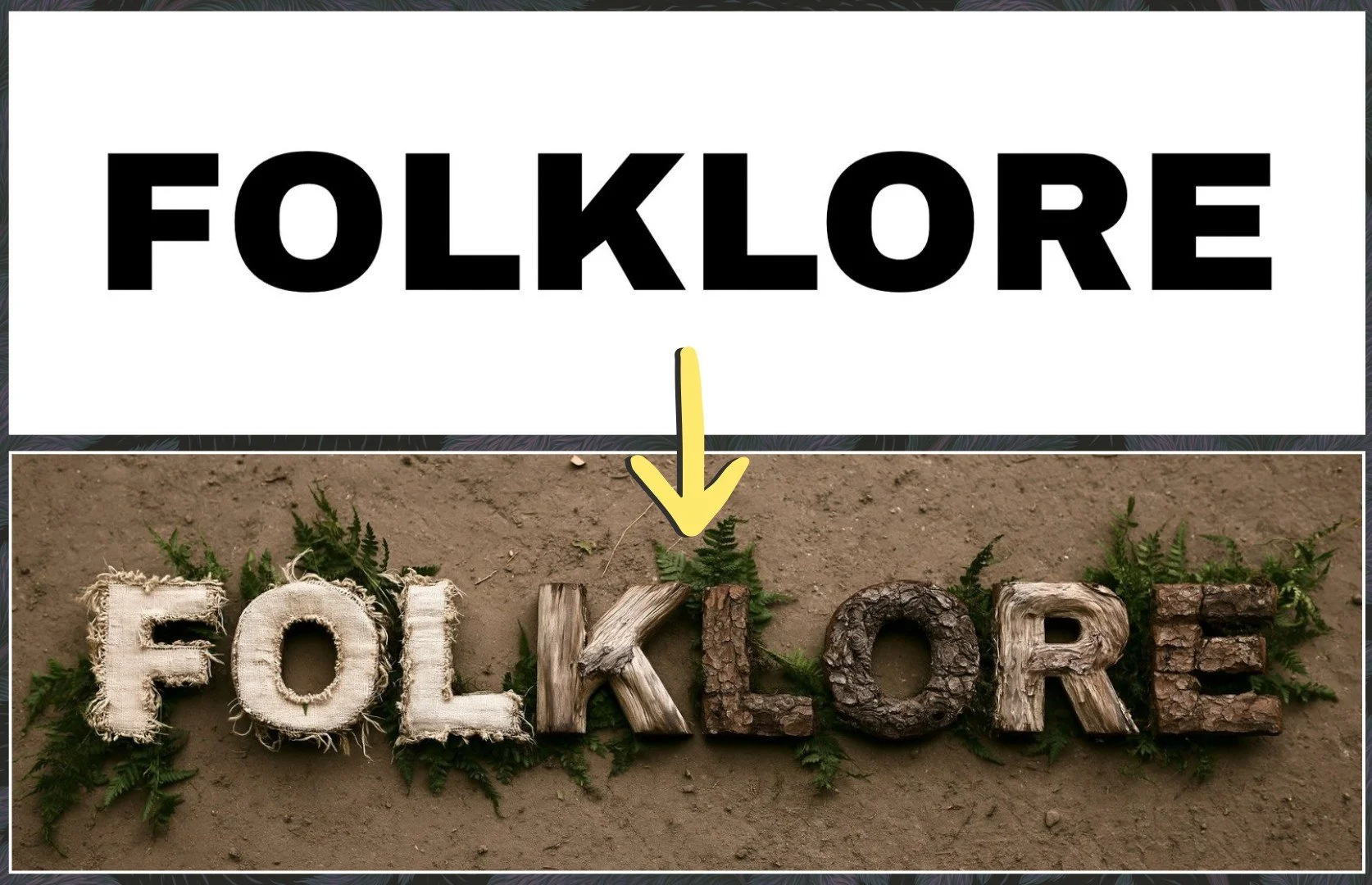
Texturize text by adding a description of what you want and/or including an additional reference image in the 'Attach to Prompt' box. I used an image of a word as my input and described the elements I wanted the word in the new image to be composed of. I also described the new background (dirt). When I didn't do this, Midjourney kept the white background.
To apply a texture to text using a texture you have an image reference for, you can 1) attach an image of the word and an image of the texture you want it to use, or 2) put the word in quotes directly in the prompt, such as "FOLKLORE", and attach an image of the texture you want. Just be sure to word your Edit prompt so that Midjourney clearly understands what it should do.
EDIT PROMPT:
make it so this word is made from frayed canvas, knotty wood, bark, and tiny ferns. the elements spill over into the background. change the background to dirt. --chaos 5 --ar 16:5 --hd --v 8.2
2. Change a Stylized 3D Image to a Photo
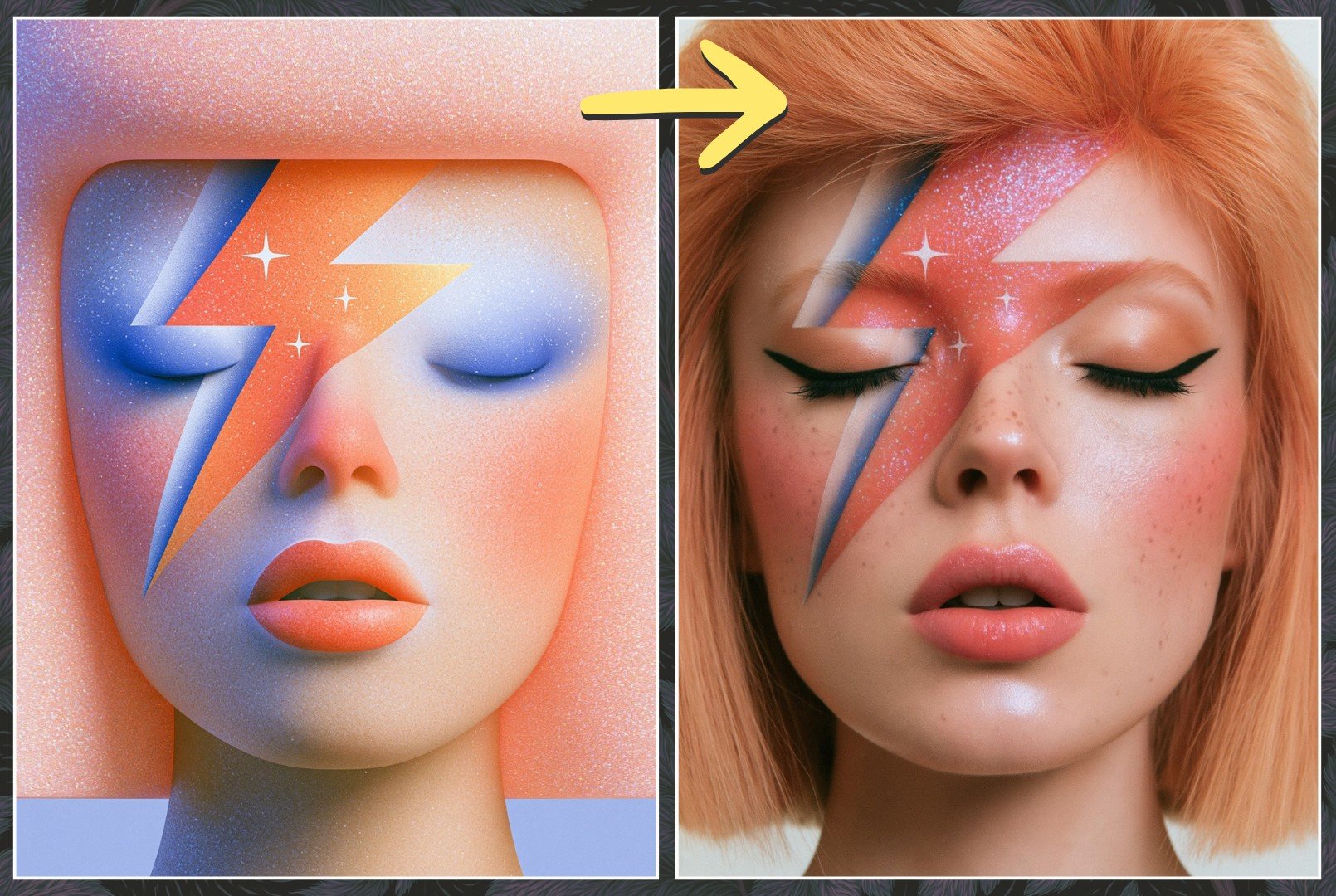
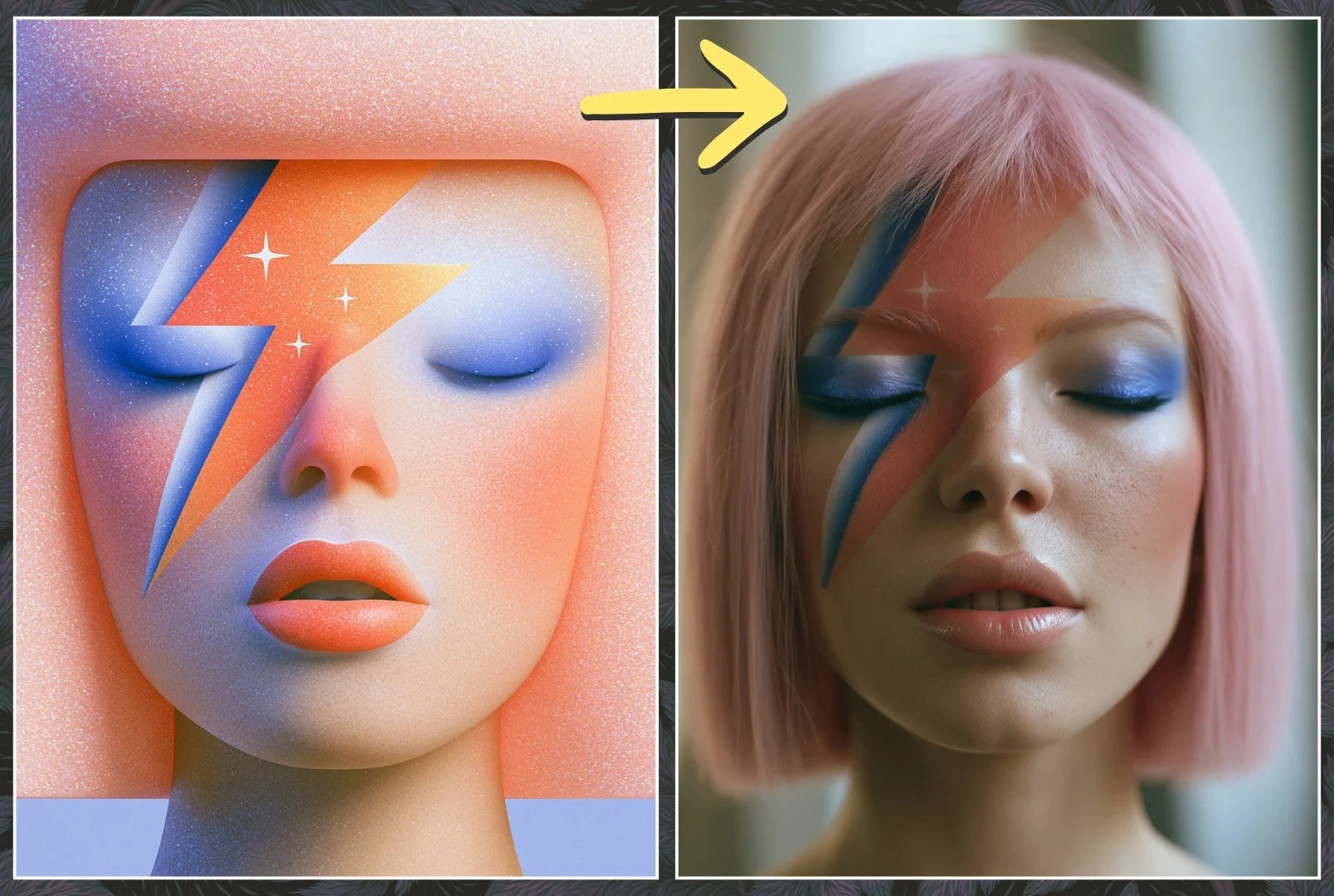
Switching between mediums can be a little tricky at times. It seems to be somewhat dependent on your input image. In the example below, Midjourney did a pretty good job changing the style just using my prompt text alone, however it's more of a photorealistic image rather than photographic.
If you want to experiment with improving the results below, you can try modifying the prompt to include mention of her pink hair, blue eyeshadow, and add a photographic style SREF code like I did in Edit Prompt #2 below.
EDIT PROMPT 1:
turn this woman into a photographic image. keep her same face shape, hair color, and makeup. --chaos 5 --ar 119:159 --hd --v 8.2
EDIT PROMPT 2:
turn this woman into a photographic image. keep her same face shape, chin-length hair, pink hair color, makeup and blue eyeshadow. --chaos 5 --ar 119:159 --sref 1933640196 832488758 --sw 75 --edit https://s.mj.run/uflfGZ8wrB4 --hd --v 8.2
Check out 8 more examples over in my Patreon community including product mockups, one of my hand drawn sketches, and multiple character scenarios!
▶️ https://www.patreon.com/Woollyfern/posts/10-ways-to-use-170375314
For monthly prompt guides and deeper Midjourney tutorials, come join my Patreon community. There's a free tier to get started!
And if you're new to Midjourney and want a structured foundation, my Midjourney Beginner Course is now available at the $25 Patreon tier.
